Marketing QR codes need a clear promise, a relevant landing page, and a measurable next action. This guide explains how to plan, design, test, publish, measure, and maintain the experience in boxes, bottles, labels, and inserts.
Explore useful GetQRly tools: Free QR Code Generator, WiFi QR Code Generator, WhatsApp QR Code Generator, Google Review QR Code Generator, Business Card QR Code Generator, and Restaurant Menu QR Code Generator.
Helpful guides: how to create a WiFi QR code, static vs dynamic QR codes, and Google Review QR Code Guide.
Introduction
Product packaging is one of the most demanding places to use a QR code because the code may live on shelves, in warehouses, in customer homes, and in old inventory long after the first campaign ends. A good packaging QR code should not be an afterthought squeezed beside a barcode. It should solve a post-purchase problem, answer a product question, or connect the buyer to a useful next step at the exact moment they have the item in hand.
Common packaging destinations include setup instructions, care guides, ingredient details, authenticity checks, warranty registration, refill ordering, recipe ideas, safety notices, and support. Use the free QR code generator for stable links, or use the GetQRly dashboard after free registration when packaging may need editable destinations and scan analytics.
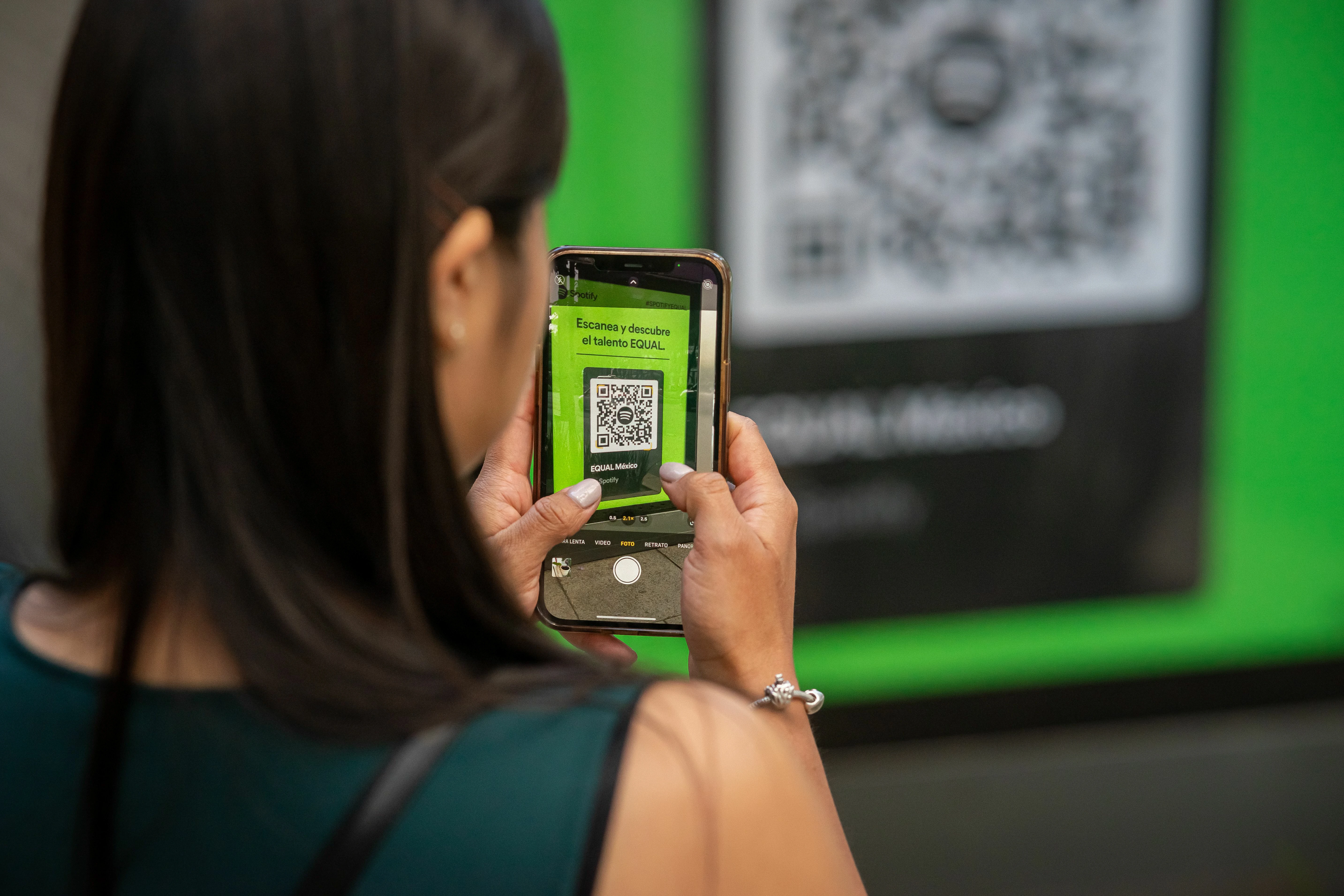
Real examples that make packaging more useful
A coffee bag can link to a brew guide for that roast, including grind size, water temperature, and recipe videos. A skincare box can link to usage instructions, patch-test guidance, and replenishment reminders. A small electronics package can open a setup page that includes firmware downloads, safety notes, and support contact options.
Food brands can use QR codes for allergen details, sourcing stories, recipe collections, batch pages, and recycling instructions. The key is matching the destination to the product, not sending every customer to a generic brand homepage. A customer holding a bottle, label, or insert is usually looking for product-specific information.
When the action is social or conversational, link to the right tool: an Instagram QR code for product inspiration, a WhatsApp QR code for customer questions, or a Google Review QR code for post-purchase feedback.
How to use this QR code on packaging
Start by choosing one job for the code. For a first-time-use product, setup instructions may be the most useful destination. For consumables, recipes, reorder pages, and loyalty enrollment may perform better. For regulated or safety-sensitive products, the code should support official information that stays available for the product lifespan.
Write the call to action around the benefit: "Scan for setup in two minutes," "Scan for care instructions," "Scan to check product details," or "Scan for refill options." That context helps scanners understand why the code belongs on the package and what they will receive after opening it.
If your package will stay in circulation for months, use a stable URL or dynamic QR redirect. Packaging is expensive to reprint, and a static code pointing to a discontinued campaign page can create support issues long after the launch team has moved on.
Best use cases for packaging QR codes
Packaging QR codes are strongest when they reduce friction after purchase. Setup pages reduce support tickets, care guides protect product satisfaction, warranty registration captures ownership details, and reorder pages make the next purchase easier. A code can also help with authenticity, traceability, sustainability details, or instructional content that would not fit on a small label.
For premium products, QR codes can extend the brand story with maker notes, usage examples, behind-the-scenes videos, and customer communities. For practical products, the destination should stay direct and utility-first. The best choice depends on what the buyer needs while holding the product, not what the marketing team wants to promote in the abstract.
Pair packaging codes with QR code landing pages and campaign tracking when you want to measure the difference between inserts, labels, retail displays, and reorder cards.

Create your QR code with GetQRly
Generate static and dynamic QR codes, download PNG/SVG files, and track scans from one dashboard.
Common mistakes on product packaging
- Linking to a homepage instead of product-specific help.
- Printing the code on a curve, fold, seal, or glossy area without testing.
- Using short-lived campaign URLs on long-lived stock.
- Failing to include a fallback URL or support contact.
- Changing the destination without checking old inventory and distributors.
Another mistake is using the same QR code across every SKU when customers need different instructions. Similar products may require different sizes, ingredients, manuals, or safety notes. If the destination varies, organize URLs and artwork by SKU before production.
Avoid hiding mandatory information behind a QR code only. Important safety, allergen, compliance, or usage information may need to remain visible in print depending on the product and market.
Printing and testing tips
Test on the final material, not just a flat proof. Foil, gloss, plastic wrap, curved bottles, textured cardboard, and small labels can all affect scanning. Keep the code high contrast, preserve a quiet zone, and avoid placing it near seams or distortions.
Use the QR code size guide to match size to scan distance. A tiny label may need a shorter URL or a larger reserved area. For professional packaging files, SVG usually gives designers more flexibility than a low-resolution PNG.
Create a packaging QA checklist that includes SKU, encoded URL, destination owner, publication date, expected lifespan, and reprint trigger. That simple discipline prevents outdated codes from becoming invisible customer-service debt.
Rate it after reading so we can keep improving GetQRly guides.