
Marketing QR codes need a clear promise, a relevant landing page, and a measurable next action. This guide explains how to plan, design, test, publish, measure, and maintain the experience in campaign artwork and customer touchpoints.
Explore useful GetQRly tools: Free QR Code Generator, WiFi QR Code Generator, WhatsApp QR Code Generator, Google Review QR Code Generator, Business Card QR Code Generator, and Restaurant Menu QR Code Generator.
Helpful guides: how to create a WiFi QR code, static vs dynamic QR codes, and Google Review QR Code Guide.
Introduction
The words beside a QR code often decide whether anyone scans it. "Scan me" tells people what to do, but it does not explain why the action is worth their attention. A stronger QR code call to action names the outcome: save the contact, see the menu, join WiFi, get the guide, book a visit, ask on WhatsApp, or claim the offer.
This guide focuses on practical call-to-action writing for signs, packaging, menus, direct mail, event materials, and business cards. Use it with the GetQRly QR code generator and related tools such as WhatsApp QR, WiFi QR, and Business Card QR.
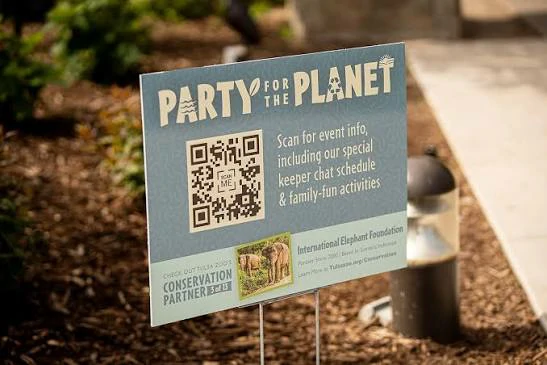
Better QR code CTA examples
Use "Scan to view today's menu" instead of "Scan me" on a restaurant table. Use "Scan to save my contact" on a business card. Use "Scan for setup instructions" on packaging. Use "Scan to join guest WiFi" in a hotel room. Use "Scan to ask us on WhatsApp" on a flyer.
For event signs, try "Scan for the event map," "Scan to download slides," "Scan to join the feedback survey," or "Scan for session resources." For direct mail, use "Scan to claim your local offer," "Scan to book a consultation," or "Scan to donate securely."
A useful CTA has three parts: the verb, the destination or action, and the value. It should fit the scanner's moment and remove uncertainty before the phone opens the camera.
How to use this QR code
Write the CTA before generating the QR code. That order forces you to define the destination and user promise. If the CTA says "Scan for sizing help," the destination should open sizing help, not a general catalog page.
Match the CTA to the QR type. WiFi codes need words about joining a network. Review codes need neutral feedback language. WhatsApp codes should mention chat, booking, support, or quotes. Instagram codes should mention following, watching, or seeing specific content.
Use QR code landing pages to keep the promise after the scan. A brilliant CTA cannot rescue a slow or unrelated destination.
Best use cases
CTA improvements matter most where the audience is moving quickly or evaluating trust: posters, flyers, receipts, table cards, product labels, mailers, checkout signs, and event displays. In these environments, scanners need a reason within a few words.
For menus, clear CTAs reduce staff questions. For business cards, they increase contact saves. For packaging, they help buyers understand post-purchase value. For Google reviews, neutral language keeps requests appropriate and trustworthy.
If you are testing several prompts, use dynamic QR codes or separate campaign URLs to compare scan and conversion behavior. Read QR Code Campaign Tracking before running a print test.
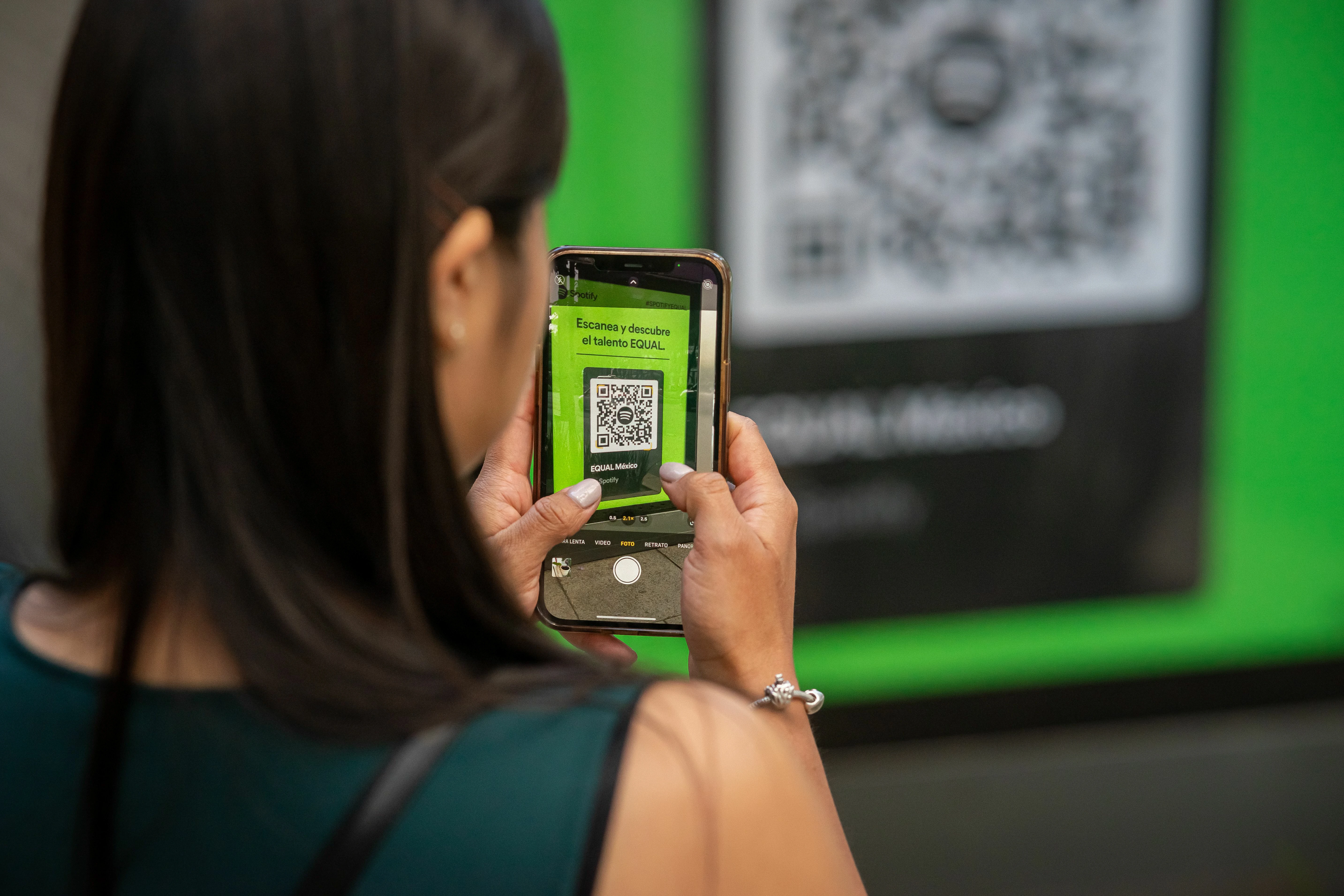
Create your QR code with GetQRly
Generate static and dynamic QR codes, download PNG/SVG files, and track scans from one dashboard.
Common mistakes
- Using "Scan me" without explaining the benefit.
- Promising one action while linking to a different page.
- Writing a CTA too small to read at scan distance.
- Using hype that the destination cannot support.
- Placing several QR codes together without labels.
Another mistake is making the CTA platform-focused instead of user-focused. "Visit our website" is weaker than "Scan for the setup guide." "Follow us" is weaker than "Scan for daily lunch specials" when the scanner is deciding in the moment.
Keep regulated or sensitive topics careful. A CTA should not hide costs, terms, eligibility, privacy implications, app requirements, or data collection when those details affect the user's decision.
Printing and testing tips
Test the CTA and QR code together. The code may scan perfectly, but the words may be too small, vague, or far away from the pattern. A person should understand the scan promise without hunting across the design.
Read the CTA aloud as a sentence: "Scan to..." If the result sounds unclear, rewrite it. Then test the final artwork with someone unfamiliar with the campaign and ask what they expect to happen after scanning.
Use consistent language across related materials. A table card, flyer, and landing page should repeat the same promise so the scanner feels continuity from print to mobile.

Rate it after reading so we can keep improving GetQRly guides.